PdfMerger
Merge PDFs offline, with page ranges and drag-and-drop reorder.
What's included
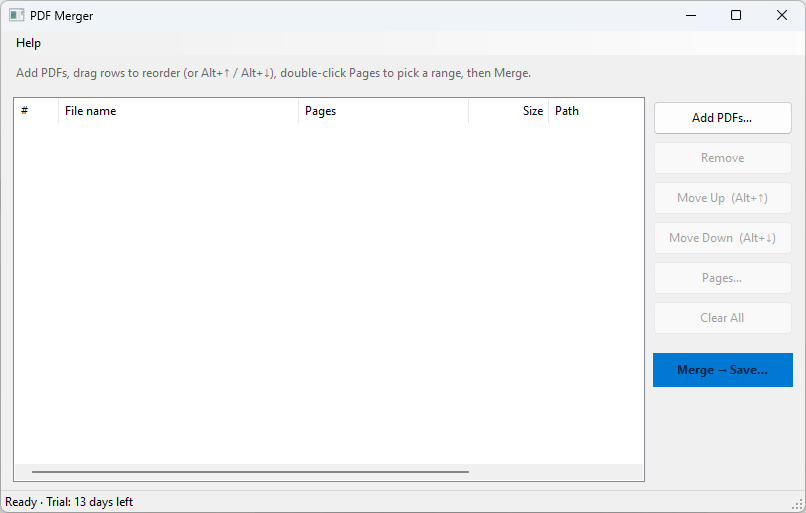
- Add PDFs by button or drag-and-drop
- First-page thumbnail for every file
- Reorder by dragging rows, buttons, or Alt+arrow keys
- Per-file page ranges such as 1-3, 5, 7-9
- Merge into one PDF and open it when finished
- Fully offline — files never leave your PC
System requirements
- Windows 10 version 20H2 or later, or Windows 11 (64-bit)
- 4 GB RAM
- 200 MB free disk space
Recent updates
- v1.0.0 · Sep 23, 2026
- First commercial release
- 14-day trial and Lemon Squeezy license activation
- Signed installer with optional updates
Why PdfMerger
Windows can open a PDF. Combining several of them, keeping only the pages you want, and putting the files in the right order still means a pile of workarounds. PdfMerger is a small offline tool for that job.
How it works
Add PDFs, drag the rows into order (or use Alt+↑ and Alt+↓), and set a page range on any file that should not be included in full. Merge writes one PDF wherever you choose. Nothing is uploaded.
Shortcuts that exist today: Alt+↑ / Alt+↓ to move the selection, Delete to remove it, Ctrl+A to select all, and F2 or Enter to edit the page range of one file.
Fair pricing
€16 is a lifetime license for PdfMerger 1.x, including later 1.x updates. The download is the full app. It runs as a trial for 14 days from the first launch on that PC, with no account required. After the trial, merge stays locked until you activate the license key from your receipt. Help → Enter license key… is where that key goes.
Ready to try PdfMerger?
14-day free trial, full features, no account required.